Label video data
for robot learning.
Frame-accurate spatial annotations, action keyframes, and episode management — export directly to LeRobot, COCO, RLDS, and HDF5. Built for teams training embodied AI.
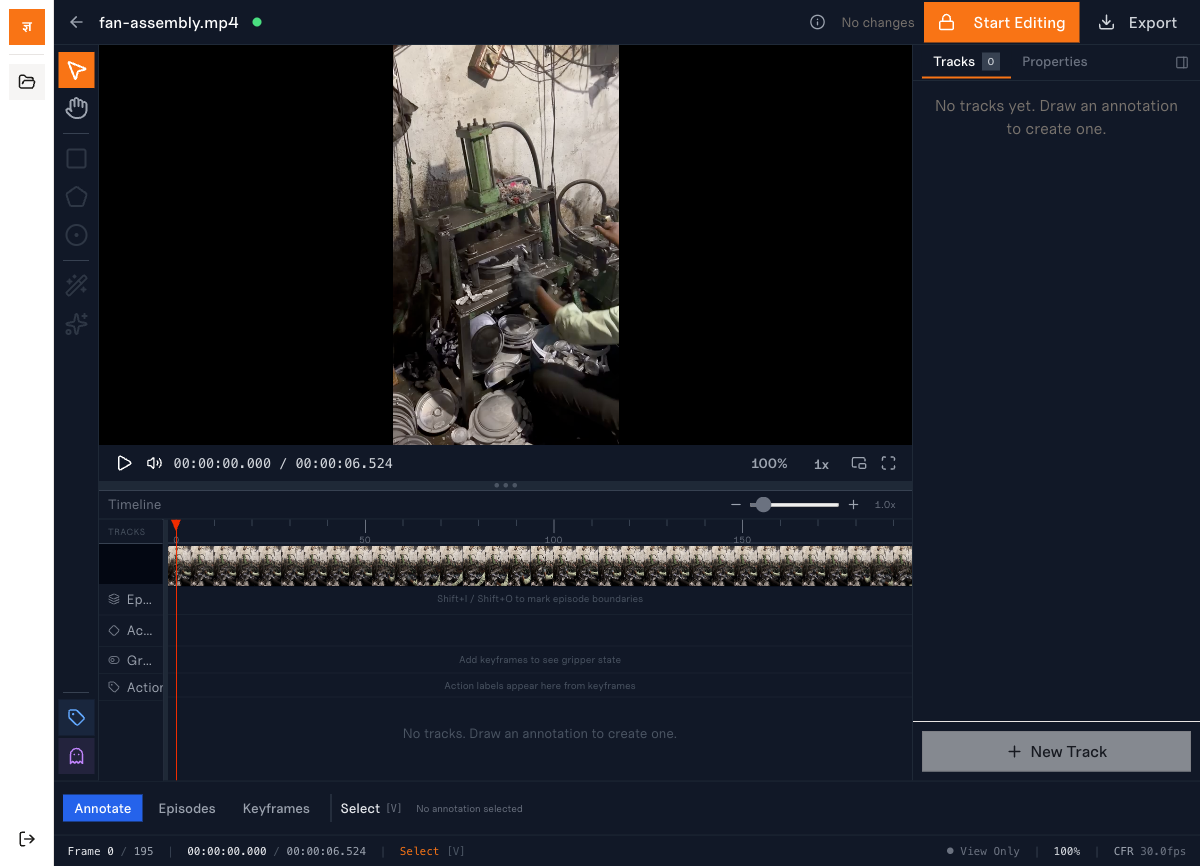
Everything you need to label
robot training data.
Spatial Annotation Tools
Draw bounding boxes, polygons, and keypoints with frame-accurate precision. SAM 2 integration segments objects with a single click — no cloud dependency, runs entirely in-browser.
- •Bounding boxes, polygons, keypoints
- •SAM 2 in-browser segmentation
- •Magic wand flood-fill selection
- •Linear interpolation across frames
- •Track-based object identity
Action & Episode System
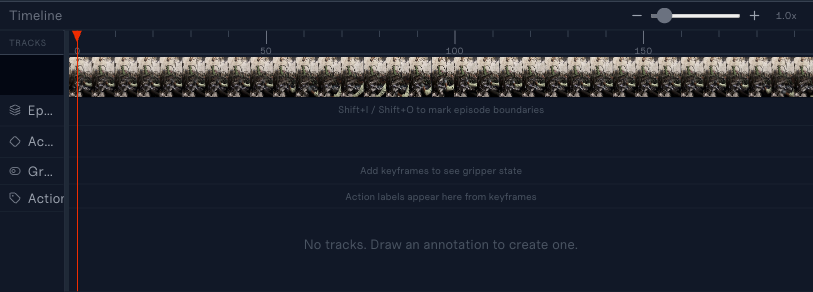
Define task episodes with start/end frame markers, then annotate action keyframes with schema-driven properties — gripper state, joint angles, and custom robot configurations.
- •Episode bracketing (Shift+I/O)
- •Action keyframe properties
- •Schema-driven: boolean, numeric, enum
- •Robot arm presets (SO-100, bimanual)
- •Three-mode editor: Annotate / Episodes / Keyframes
Export to Training Formats
Export annotated datasets directly to formats consumed by leading robot learning frameworks. Temporal-orchestrated pipeline handles validation, collection, and packaging.
- •LeRobot v3 (Parquet + trimmed clips)
- •COCO instance segmentation
- •RLDS (TFRecord sequential)
- •HDF5 scientific format
- •Progress tracking & download
Collaboration & Audit
Concurrent editing with exclusive lock acquisition. Every annotation action is logged to an append-only audit trail for compliance and reproducibility.
- •Exclusive editing locks with heartbeat
- •Lock timeout & auto-release
- •Append-only audit event log
- •PaperTrail version history
- •Role-based access (annotator/reviewer/admin)
From upload to export.
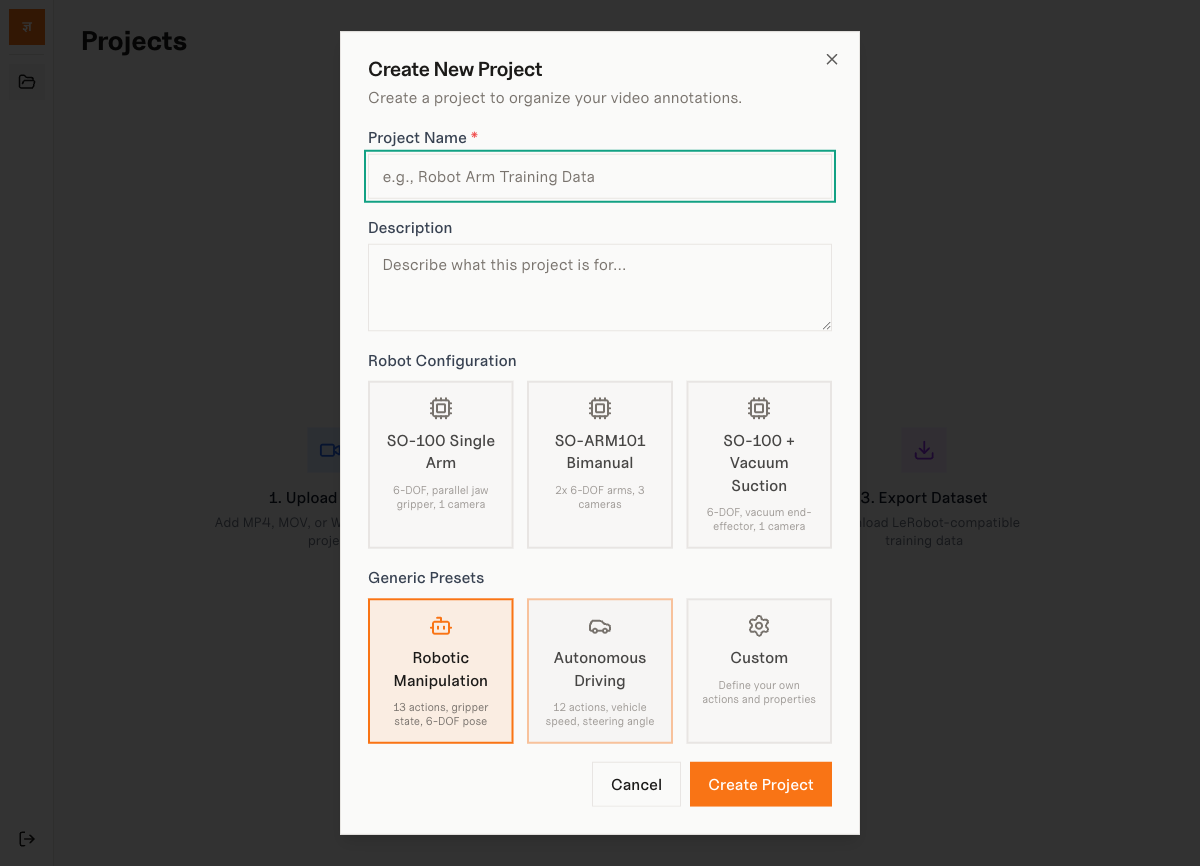
1. Create Project
Choose a robot configuration preset or define a custom action schema.
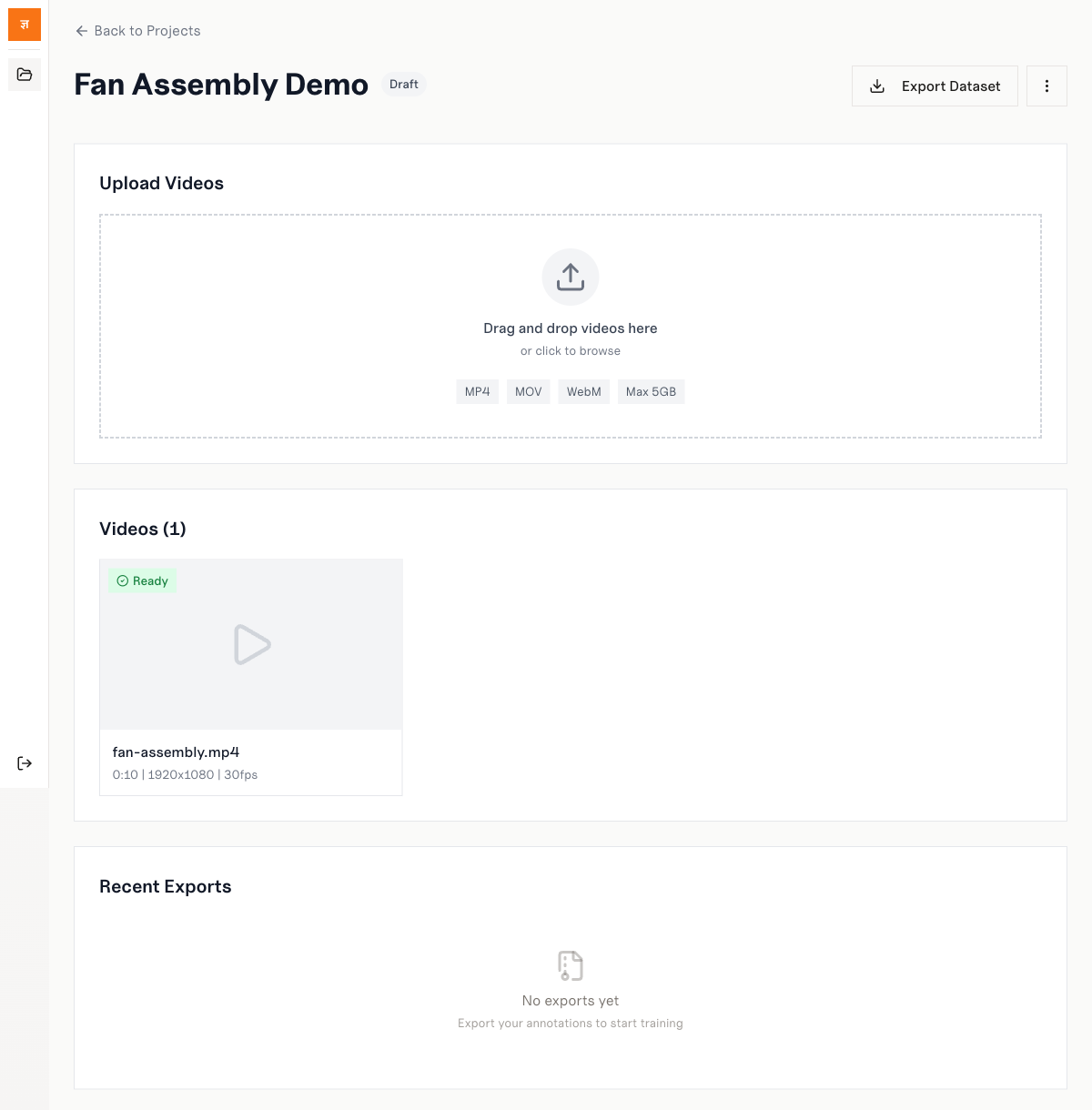
2. Upload Videos
Drag and drop MP4, MOV, or WebM files. Automatic VFR detection and transcoding.
3. Annotate & Export
Label frames with spatial tools, mark episodes, then export to LeRobot or COCO.
Pre-built schemas for popular robots.
Start labeling immediately with action schemas designed for common robot embodiments. Each preset defines joints, end-effectors, cameras, and export dimensions.
SO-100 Single Arm
6-DOF, parallel jaw gripper, 1 camera
SO-ARM101 Bimanual
2x 6-DOF arms, 3 cameras
SO-100 + Vacuum
6-DOF, vacuum end-effector, 1 camera
Custom Schema
Define your own actions and properties
Keyboard-first workflow.
Every tool, mode switch, and navigation action is mapped to a keyboard shortcut. Frame-accurate J/K/L shuttle control and single-key tool switching keep your hands on the keyboard.
Your format. Your framework.
Parquet + trimmed video clips for HuggingFace LeRobot training pipelines
Instance segmentation format for object detection and segmentation models
TFRecord sequential data for Google RT-X and TensorFlow agents
Hierarchical scientific format for custom training loops and analysis
Ready to label your data?
Tell us about your robot learning project and we'll get you set up with the labeling engine.
Or email us directly at contact@jnana.info